


Twin Rivers Logo

Twin RiversFederal Credit Union

Online banking login

Online Banking

Secure mobile banking with Twin Rivers Federal Credit Union

Message Pay

Make a Payment
We want to make things easier for you!

Make a payment to your Twin Rivers Federal Credit Union loans from any external account.

Click Here to Make a Payment

Setting Up Your Account

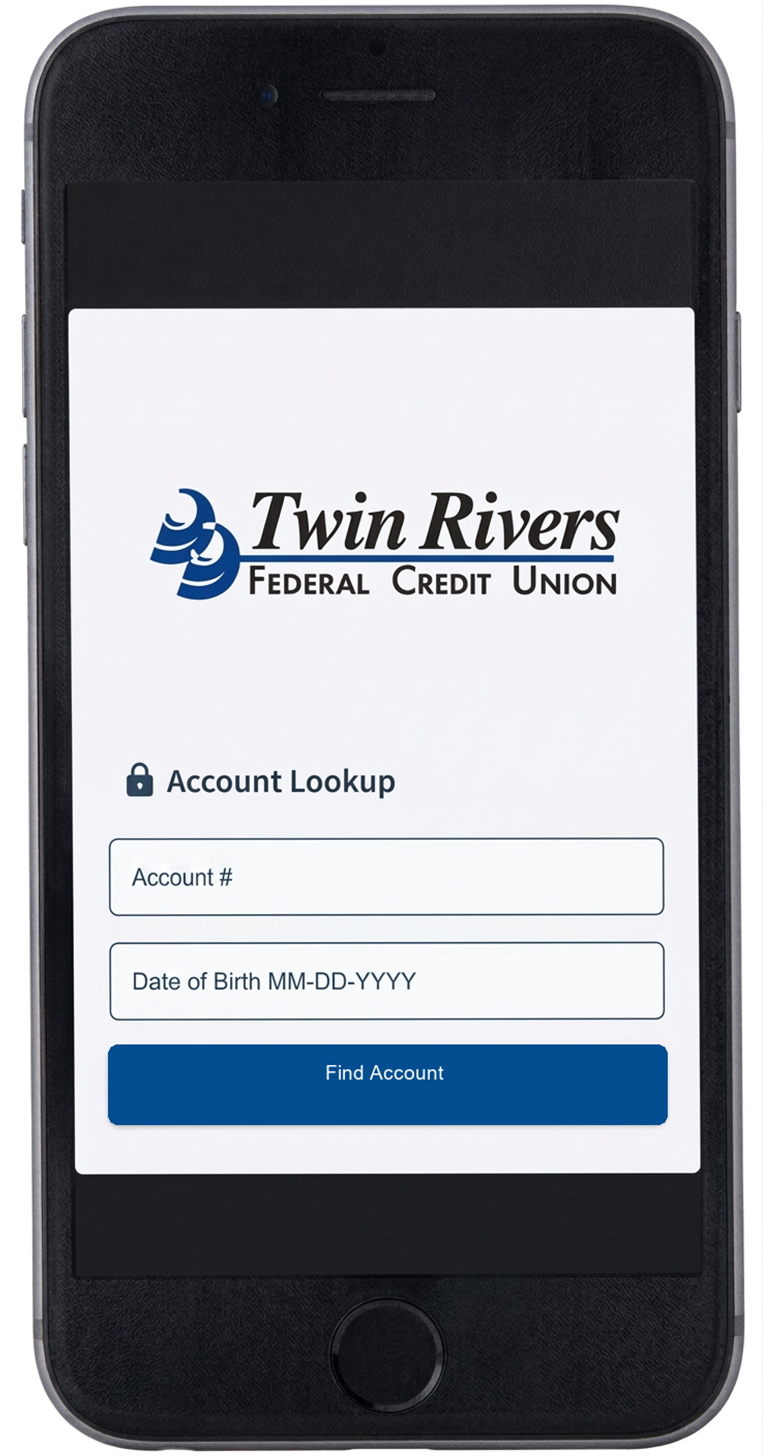
  1. Verify Your Account

    Mobile payment portal account lookup screen
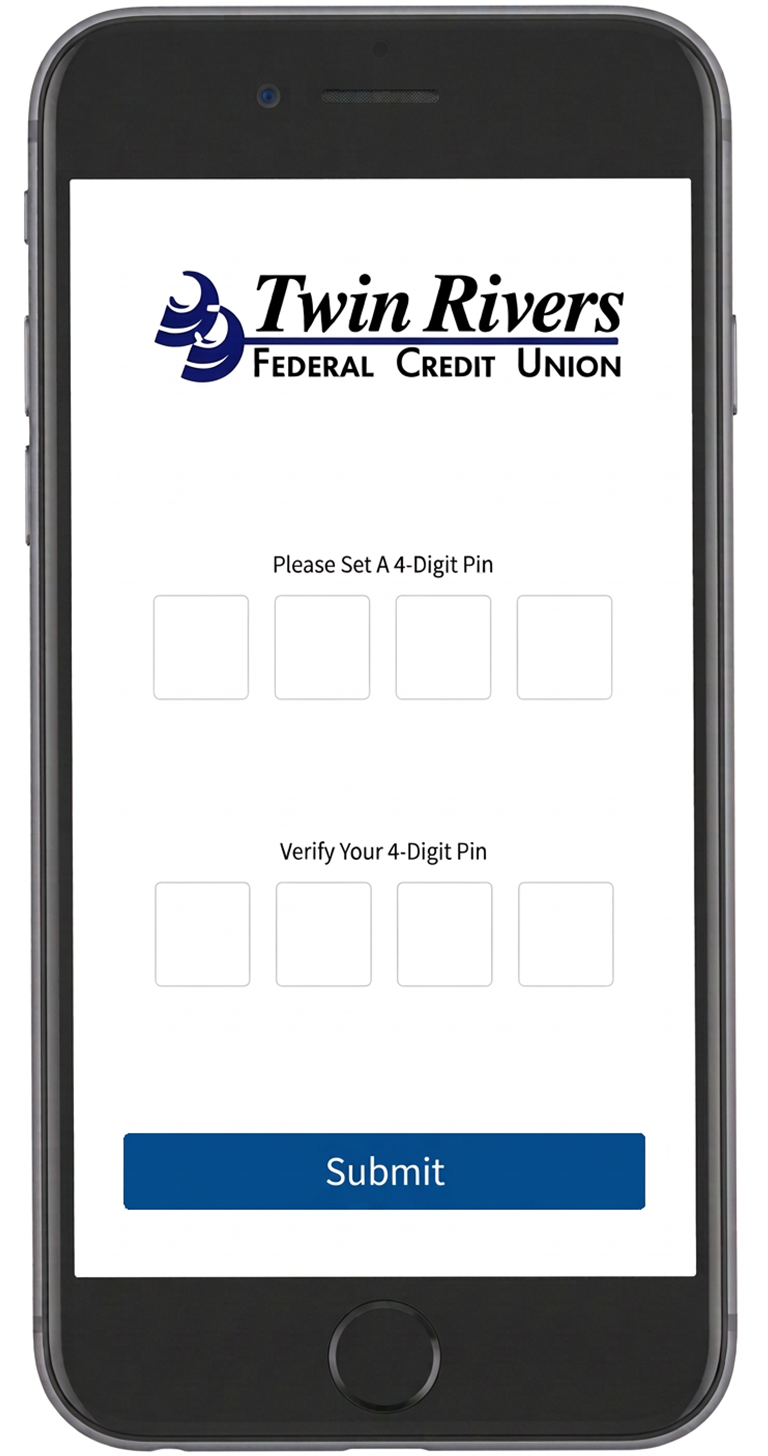
  2. Create a 4-Digit PIN

    Mobile payment portal prompting the member to create and verify a 4-digit PIN
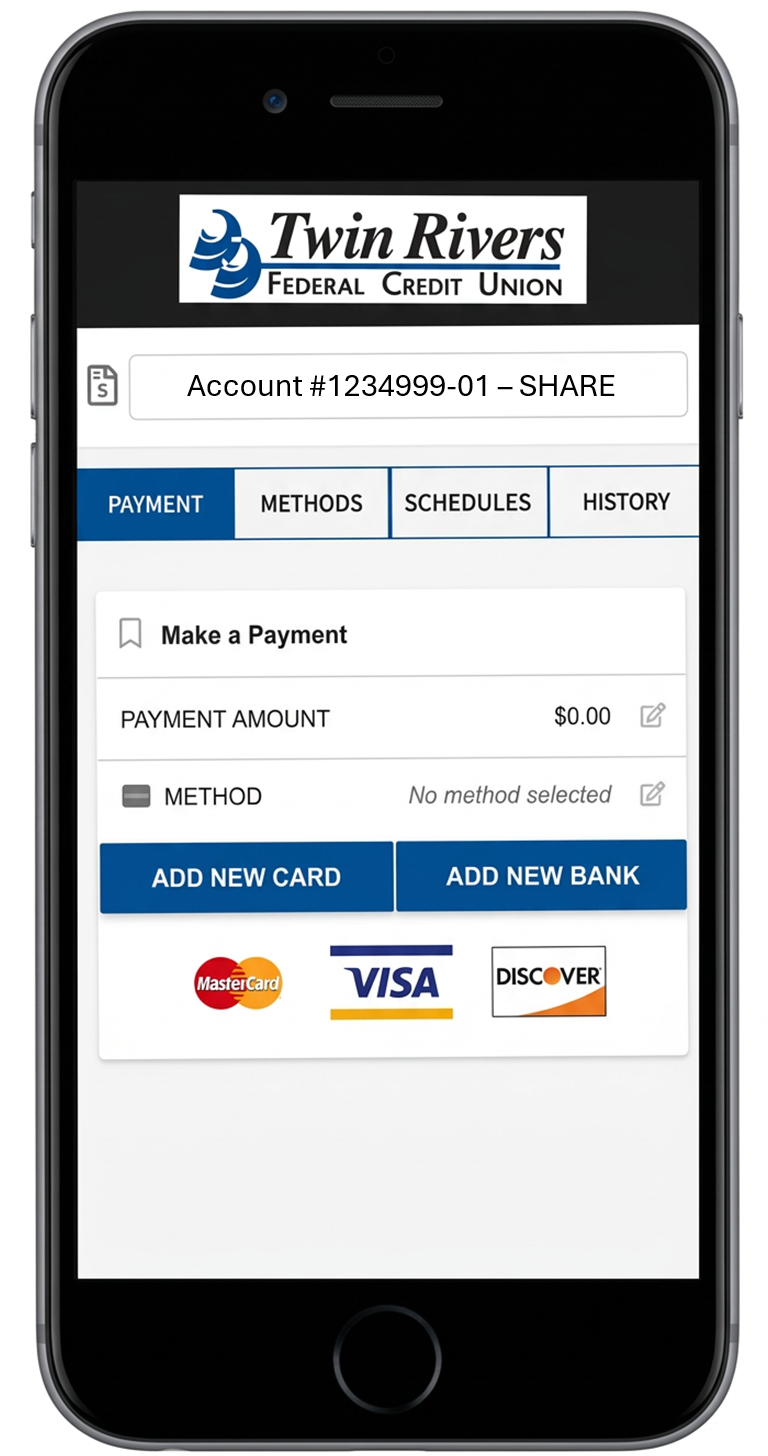
  3. Add Your Preferred Payment

    Mobile payment portal showing saved payment methods and options to add a card or bank account
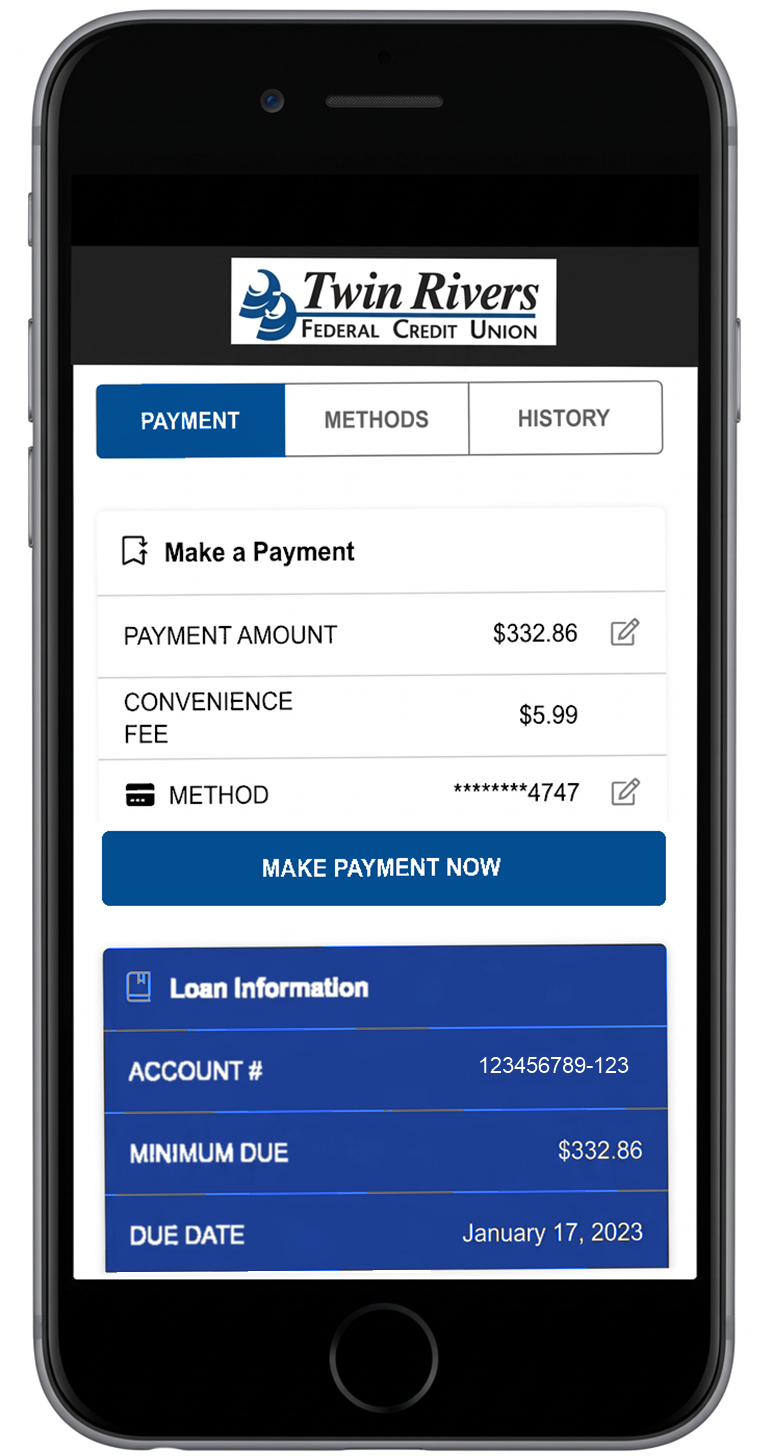
  4. Make a Payment

    Mobile payment portal showing payment amount, convenience fee, and make payment button

What to Know

  • The 'Make a Payment' link will take you to a portal where you will be asked to verify your account with your account number and date of birth.
  • When you verify your account for the first time, you will have to set up the following:
    • 4-digit pin: once you have entered your account number and date of birth, it will prompt you to create a 4-digit pin. Store this information in a secure place as you will need this pin number to verify future payments.
    • Preferred method of payment: to make a payment, you will have to add your preferred form of payment in the portal. You can do this by selecting ADD NEW BANK ACCOUNT OR ADD NEW DEBIT CARD which will prompt a secure website for you to input your information. If done correctly, there will be a message stating 'Payment Method Success' and you will be redirected to the payment portal.
  • Once your account has been successfully verified, you will be directed to the payment portal where you'll be able to see all of your loans and will also be able to select your preferred payment method.

Member Benefits

  • The fee to use Message Pay is only $5.99
  • Encrypted information guarantees your information is secure
  • Convenient ways to pay from an external account: text, website, online/mobile banking
  • Payments accepted from checking accounts, savings accounts and debit cards

Frequently Asked Questions

What kind of fees will I be charged?

The fee to use MessagePay is $5.99 per payment. If your loan payment is returned by your other financial institution, we do charge a $25 retuned payment fee.

If I opt out of receiving text messages, will I still be able to pay my loans online?

Yes, you will have to access the payment portal through our website or online/mobile banking. However, you will not receive any text notifications regarding payment reminders, and you will not be able to make a payment via text message.

How can I make a payment via text message?

Once you receive a text reminder, you respond "Pay" to that same text. You will be asked to enter your pin number to verify your account, once you have completed this process your payment will be complete and you should receive a confirmation text.
PLEASE NOTE: You will have to set up a 4-digit pin number and preferred payment method prior to using text payments.

Can I make payments on my loans through online and mobile banking?

Log in to your on line or mobile banking and select 'Make a Payment' This will take you to the payment portal where you will be able to make a payment after verifying your account information.

New Automobile Loans

Please refer to the loan rates link

Used Vehicle Loans

Please refer to the loan rates link

Recreational Vehicle Loans

Please refer to the loan rates link

THIRD PARTY SITE DISCLAIMER You are leaving Twin Rivers FCU's website. You are linking to an alternate website not operated by Twin Rivers FCU, and Twin Rivers FCU is not responsible for the content of the alternate website. The fact that there is a link from Twin Rivers FCU's website to an alternate website does not constitute endorsement of any product, service, or organization. Twin Rivers FCU does not represent either you or the website operator if you enter into a transaction. Privacy and security policies may differ from those practiced by Twin Rivers FCU, and you should review the alternate website's policies. Click OK to confirm that you want to open this page. Click Continue to open the linked page. Click Cancel to return to the previous page.

Continue Cancel
back to top Back to Top